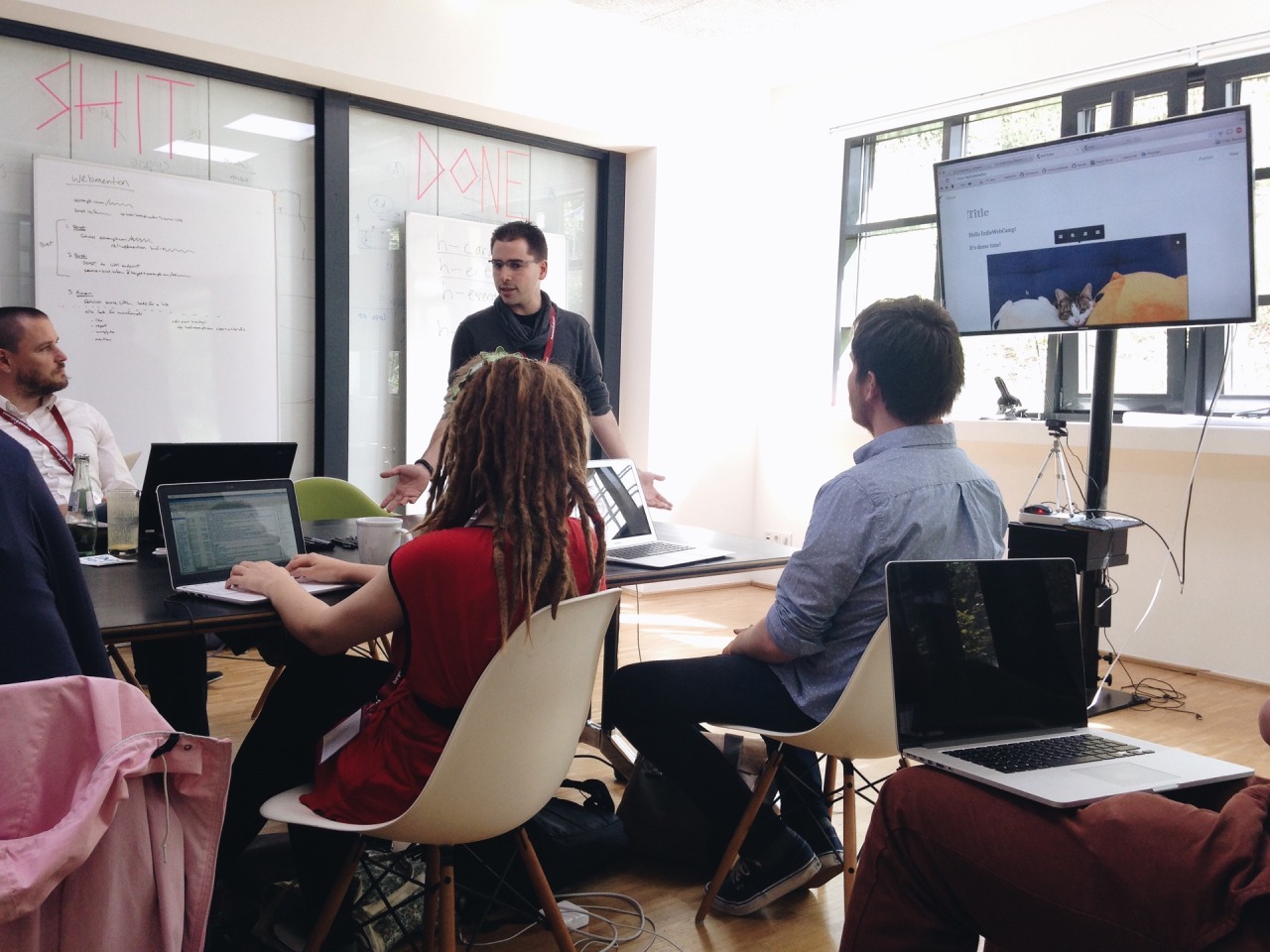
IndieWebCamp keeps inspiring me. Having had so much interesting conversations with interesting people that care about similar things, motivates me to work on my own homepage, blog and other web projects.
And so I’m currently still excited about IndieWeb stuff and am researching potential tools, hosting options and workflows for my personal sites.
And I’m still fancying going static with my blog, too. Most of my other projects are static already. It’s either indeed a plain hand-written static site, or generated via Jekyll, my SSG of choice (so far).
While researching, I found the following (somewhat random) articles and resources interesting and helpful so far.
I think as a first step, I might neglect the “hosting” part of my upcoming solutions a little bit. I want the hosting and deployment to be as simple as possible. And so I might sacrifice my other principles about server location and using renewable energy sources in the short term. I’m currently looking into these hosting options:
Anyhow, to help narrowing it all down, I thought I’d write down some of my current thoughts on what I might want from both my future publishing tool and workflow for this blog, as well as the hosting options. Here we go:
Tooling
I’d like the software to spit out a static site in the end. This makes it more easily portable and hostable – even when I myself can’t any longer. It’s much simpler to copy a simple folder and host that somewhere, than being required to run a certain software and database in order to build the site.
An obvious choice here are Static Site Generators (SSGs).
The downsides of using those and deploying something static, is that I won’t have dynamic features like – for example – search, comments or Webmentions. Or at least I would need an additional external service for that, since the site wouldn’t be able to accept any data to be put into it.
If I end up bending over backwards to make those things work with an SSG, wouldn’t it be better to simply use something dynamic like a CMS? Then I’d have all the freedom. Plus, I would probably have a form via which I could post to the site.
And posting to my site via a web form is a must, to be honest. I want to be able to post from multiple devices. And be able to upload files (mostly images I guess), too. Being able to do so only via a non-mobile device would be a show-stopper, I think.
There’s an option, though to use something like Netlify CMS on top of an SSG to have an SPA admin interface that adds content directly to my git repository. Certainly an interesting option.
A way to import my Tumblr blog would be really handy.
And a way to redirect those old URLs would make sense, too.
If I go with a CMS, it’d be nice to not rely on a database. I get a little uneasy relying on something so complex as a database. It’s simply easier to read plain text files than it is to get stuff out of a DB again. And I feel using a database is not really necessary for a blog.
Should be something I would want to use in the long run.
Hosting
I’d like to manage as little of the tech as possible and is feasible. For example, I feel like managing a VPS is a little too much. Shared webspace might do the job. Or even simple static hosting.
The servers should probably be located in Germany.
Preferably a focus on being environmentally friendly, too.
I favour large storage space over high performance (because I don’t think I have high demands).
Free or almost free SSL certificates, including wildcard certificates. Probably should offer the Let’s Encrypt ones.
If possible, use one provider for all projects.
Phew. And that’s just some of the things I‘m considering. Running a risk of overthinking this and never get anything done. I feel this is important, though. Especially to choice for the software.
I met lots of friendly and interesting new people, had interesting discussion and conversations, learned new things and was also productive implementing new technologies on one of my projects.
“Hosting, SSG vs CMS vs Custom” was maybe the most immediately interesting to me, since I’m keen to move my blog, and so I suggested this session myself. I was interested in how other folks publish to, host and deploy their own site. Everyone in the room shared their setup, which was absolutely fantastic! Now, I need to take some time, take those notes and research how I want to continue publishing this blog.
I used Jeremy’s Minimal viable service worker script, and modified it a little to suit this page’s needs even better. Following Daniel’s suggestion, I deployed this via GitHub Pages; I needed to switch hosts, because I needed a (free) SSL certificate. Because serving your site over HTTPS is a prerequisite for using a service worker (and thus making the site available offline). Then I created a quick icon and followed the “Add to Home Screen” guide to turn the site into a PWA.
So, when you now go to https://danielpietzsch.github.io/fl/, it’ll be available offline (after that first visit of course), and you can also add it to your home screen on iOS or Android, and it’ll behave very similar to a native app.
The final step would be to actually use my custom subdomain again, which so far hasn’t worked, unfortunately.
At the end of the day, everyone demoed what they’ve worked on. I was super impressed by all the things that got done.
A big thanks to Marc, Tantek, Aaron, Jeremy and Joschi for making all this happen!
This will not have been my last IndieWebCamp for sure!
Originally, I thought I could easily write up my summary of day one of the IndieWebCamp here in Düsseldorf tonight. But instead I ended up in a Restaurant and only returned close to midnight. So, no summary. But I had a great time, meeting lots of interesting people. Looking forward to day two.
I’m not quite sure yet what my personal goal is going to be during this year’s camp. I feel like my next step towards independence is to finally dump Tumblr, and start hosting my own site.
But I’m still undecided what stack to use: a static site generator or a dynamic site? With database or simply flat files? An existing software or build something from scratch? Hosting on a VPS, simple webspace, or use a PaaS (like Heroku or Netlify for example)?
Maybe I can get some inspiration at the event and start a little prototype.
I have been wanting a site where I can post lots of photos at once for quite some time now. I have been enjoying these longer, chronological posts by other photographers, and it’s become my favourite way of consuming images. For me, it’s way more enjoyable to really take my time and look at a single person’s photographs, than consuming single images of several different photographers – which is usually the default on social media. It’s more like sitting down with a photography book of a single artist.
Currently I’m very much into personal and documentary photography, and I think longer posts lend themselves better to this style.
Plus, I enjoy creating these posts with photos covering a longer time span much more.
I also wanted to have full control over my photos, my site and the way I’d like to present and archive them. I wanted something Indie. And hosting your own site is the only way to do so.
Now I can have everything the way I want: no limit on the number of images, and simply a long page where you can scroll through full-size pictures – chronologically and without the need to click or tap anything. I can also easily (batch-)download all the images and posts, since it’s simply an FTP download of a static website.
It’s interesting how I more and more go back to hosting my own sites again and also code lots of it myself. That’s how I started out in the late 90s. But I think it’s the only way I can control the things I share on the web long-term. It feels like my photos found a real “home” again. A homepage for my photos. This feels very right to me.
Why? This will allow other people’s software to easily read and understand your content. This is useful for a variety of things like recognizing comments, likes, reposts, and displaying reply-contexts for your posts.
For example, if I sent a webmention to someone else’s site/URL1, this other site can easily parse my post and could – for example – display it as a comment.
Another use case that I like, is that the Moncole reader can now parse and display my content.
The best way to use microformats-2 is with as little additional markup as possible. This keeps your code cleaner, improves its maintainability, and thus the quality and longevity of your microformats.
One big advantage of microformats-2 over previous microformats (and others) is the ability to add one class name to an existing element to create a structured item.
So you shouldn’t (necessarily) need to add, remove or alter your existing HTML tags. However, I found this to not be doable in my case.
For texts posts for example, I had a structure like this:
Marking up the article and h2 elements wasn’t a problem: I just had to add class="h-entry" and class="p-name" respectively. However, I didn’t have a HTML-tag wrapping the content, so there was no tag to put on the extra class="e-content". Hence – with feedback and approval from Jeremy – I had to add an extra div to make this work for me. Here’s the new (simplified) markup for a text post:
A while back, I started sharing my stuff more-or-less exclusively through my blog on my own domain.
I wanted to have a single web-presence where I can share all my content: be it photos, texts, videos, links or whatever else. I wanted to have control over how it’s displayed and where (the URLs of my own domain).
I think the trigger was my frustration with the fleetingness of corporate third-party services. They were (and are) getting neglected, moving in a direction I was not happy with, or getting acquired by Facebook, which I try to avoid as much as I can.
So, I thought, instead of putting a lot of work into sites that I can’t control, I’d rather put it into my own website on my own domain.
I just wanted something more reliable and permanent.
I still wanted to continue using these third-party services, though. I wanted my connections on these sites to be able to continue following me there. But I didn’t want to have to rely on these services as much as before. I wanted the canonical source of my content to be my blog.
So, I continued (and I am going to continue) posting copies of my content to Flickr, Twitter and all the other services that I use, but this posting happens automatically most of the time and always through my blog1.
And that’s why I was excited when I heard about the idea of the IndieWeb. I think I first heard it from Jeremy Keith at the Decentralize-Camp last year.
The best way to explain what it’s about, is to just quote their website:
What is the IndieWeb?
The IndieWeb is a people-focused alternative to the ‘corporate web’.
Your content is yours
When you post something on the web, it should belong to you, not a corporation. Too many companies have gone out of business and lost all of their users’ data. By joining the IndieWeb, your content stays yours and in your control.
You are better connected
Your articles and status messages can go to all services, not just one, allowing you to engage with everyone. Even replies and likes on other services can come back to your site so they’re all in one place.
You are in control
You can post anything you want, in any format you want, with no one monitoring you. In addition, you share simple readable links such as example.com/ideas. These links are permanent and will always work.
I’m now slowly but certainly moving more and more in that direction.
While I currently use Tumblr as my blogging platform – which hardly counts as an independent tool – I still think it is not that much of a contradiction to the IndieWeb principles. Tumblr allows you to host your blog on your own domain – and I believe that this is the main point of the IndieWeb. Whether you host the website yourself comes second, in my opinion. If Tumblr went away – or I wanted to move away from it – I could still switch to host my own site, but – crucially – I could keep all the URLs.
This whole approach has been serving me well for quite some time now. And I’ll continue refining the design of my blog to better cater for this style of sharing and to implement more of the IndieWeb building-blocks.
This is called POSSE (“Publish (on your) Own Site, Syndicate Elsewhere”) in IndieWeb terms, and I achieve this either via Tumblr’s sharing tools or IFTTT. ↩︎