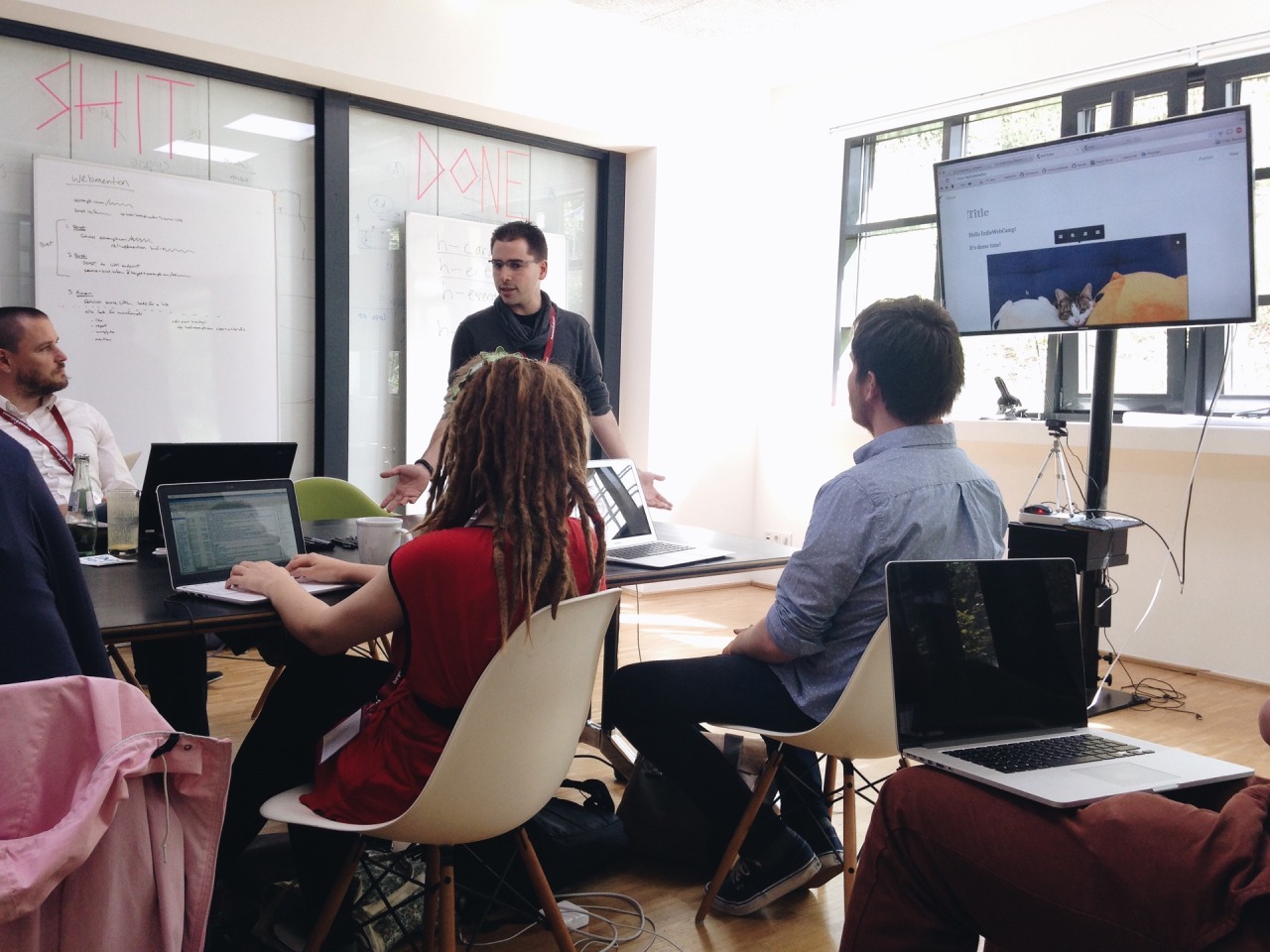
IndieWebCamp keeps inspiring me. Having had so much interesting conversations with interesting people that care about similar things, motivates me to work on my own homepage, blog and other web projects.
And so I’m currently still excited about IndieWeb stuff and am researching potential tools, hosting options and workflows for my personal sites.
And I’m still fancying going static with my blog, too. Most of my other projects are static already. It’s either indeed a plain hand-written static site, or generated via Jekyll, my SSG of choice (so far).
While researching, I found the following (somewhat random) articles and resources interesting and helpful so far.
By Aaron Gustafson:
By Michael Ummels:
By Christopher Kirk-Nielsen for Smashing Magazine:
Chris Ferdinandi’s whole website seems to be a treasure trove in this regard. So far I’ve read:
I think as a first step, I might neglect the “hosting” part of my upcoming solutions a little bit. I want the hosting and deployment to be as simple as possible. And so I might sacrifice my other principles about server location and using renewable energy sources in the short term. I’m currently looking into these hosting options:
The good thing about static sites is, that they are very easy to move and host somewhere else, should I decide to do so.
At IndieWebCamp, we collected an overview of everyone’s publishing software tools and hosting providers. And tonight I am doing a bit of research. I’m a little overwhelmed by only going through all those options. Of course, there’s an almost infinite amount of additional options out there, too.
Anyhow, to help narrowing it all down, I thought I’d write down some of my current thoughts on what I might want from both my future publishing tool and workflow for this blog, as well as the hosting options. Here we go:
Tooling
- I’d like the software to spit out a static site in the end. This makes it more easily portable and hostable – even when I myself can’t any longer. It’s much simpler to copy a simple folder and host that somewhere, than being required to run a certain software and database in order to build the site.
- An obvious choice here are Static Site Generators (SSGs).
- The downsides of using those and deploying something static, is that I won’t have dynamic features like – for example – search, comments or Webmentions. Or at least I would need an additional external service for that, since the site wouldn’t be able to accept any data to be put into it.
- If I end up bending over backwards to make those things work with an SSG, wouldn’t it be better to simply use something dynamic like a CMS? Then I’d have all the freedom. Plus, I would probably have a form via which I could post to the site.
- And posting to my site via a web form is a must, to be honest. I want to be able to post from multiple devices. And be able to upload files (mostly images I guess), too. Being able to do so only via a non-mobile device would be a show-stopper, I think.
- There’s an option, though to use something like Netlify CMS on top of an SSG to have an SPA admin interface that adds content directly to my git repository. Certainly an interesting option.
- A way to import my Tumblr blog would be really handy.
- And a way to redirect those old URLs would make sense, too.
- If I go with a CMS, it’d be nice to not rely on a database. I get a little uneasy relying on something so complex as a database. It’s simply easier to read plain text files than it is to get stuff out of a DB again. And I feel using a database is not really necessary for a blog.
- Should be something I would want to use in the long run.
Hosting
- I’d like to manage as little of the tech as possible and is feasible. For example, I feel like managing a VPS is a little too much. Shared webspace might do the job. Or even simple static hosting.
- The servers should probably be located in Germany.
- Preferably a focus on being environmentally friendly, too.
- I favour large storage space over high performance (because I don’t think I have high demands).
- Free or almost free SSL certificates, including wildcard certificates. Probably should offer the Let’s Encrypt ones.
- If possible, use one provider for all projects.
Phew. And that’s just some of the things I‘m considering. Running a risk of overthinking this and never get anything done. I feel this is important, though. Especially to choice for the software.
It’s Sunday evening, and I’m back home from two very enjoyable days (and one night, too) at IndieWebCamp Düsseldorf 2019.
I met lots of friendly and interesting new people, had interesting discussion and conversations, learned new things and was also productive implementing new technologies on one of my projects.
Saturday
Day one of the camp was the “Discussions” day: after the introduction round, everyone gathered to suggest discussions on IndieWeb-related topics. I spent my time at “URLs: How?”, “Offline Strategies”, “Hosting, SSG vs CMS vs Custom”, “Travel Data & Posts” and “Safety”. I learned something new in every one of them and/or contributed, too.
“Hosting, SSG vs CMS vs Custom” was maybe the most immediately interesting to me, since I’m keen to move my blog, and so I suggested this session myself. I was interested in how other folks publish to, host and deploy their own site. Everyone in the room shared their setup, which was absolutely fantastic! Now, I need to take some time, take those notes and research how I want to continue publishing this blog.
Sunday
Sunday was Hacking Day.
That means, whatever you fancied to work on, you simply did – either on your own or with (the help of) others.
I myself added a Service Worker to my “Focal Length Equivalents” site and also made this a “Progressive Web App (PWA)”. A topic I wanted to start with for a long time and now I finally did.
I used Jeremy’s Minimal viable service worker script, and modified it a little to suit this page’s needs even better. Following Daniel’s suggestion, I deployed this via GitHub Pages; I needed to switch hosts, because I needed a (free) SSL certificate. Because serving your site over HTTPS is a prerequisite for using a service worker (and thus making the site available offline). Then I created a quick icon and followed the “Add to Home Screen” guide to turn the site into a PWA.
So, when you now go to https://danielpietzsch.github.io/fl/, it’ll be available offline (after that first visit of course), and you can also add it to your home screen on iOS or Android, and it’ll behave very similar to a native app.
The final step would be to actually use my custom subdomain again, which so far hasn’t worked, unfortunately.
At the end of the day, everyone demoed what they’ve worked on. I was super impressed by all the things that got done.
A big thanks to Marc, Tantek, Aaron, Jeremy and Joschi for making all this happen!
This will not have been my last IndieWebCamp for sure!
Here are the photos: Day 1, Day 2.
Originally, I thought I could easily write up my summary of day one of the IndieWebCamp here in Düsseldorf tonight. But instead I ended up in a Restaurant and only returned close to midnight. So, no summary. But I had a great time, meeting lots of interesting people. Looking forward to day two.
johannesdachsel.com
A short summary of IndieWebCamp 2015 in Düsseldorf
And one more IndieWebCamp review by Johannes Dachsel.
I’ve just added h-entry markup to all the posts on this blog. I’ll just quote the IndieWebCamp website as to “why”:
Why? This will allow other people’s software to easily read and understand your content. This is useful for a variety of things like recognizing comments, likes, reposts, and displaying reply-contexts for your posts.
For example, if I sent a webmention to someone else’s site/URL, this other site can easily parse my post and could – for example – display it as a comment.
Another use case that I like, is that the Moncole reader can now parse and display my content.
A small markup roadblock
The philosophy of Microformats2 is actually to be able to add compatibility by only adding class names to existing elements:
The best way to use microformats-2 is with as little additional markup as possible. This keeps your code cleaner, improves its maintainability, and thus the quality and longevity of your microformats.
One big advantage of microformats-2 over previous microformats (and others) is the ability to add one class name to an existing element to create a structured item.
So you shouldn’t (necessarily) need to add, remove or alter your existing HTML tags. However, I found this to not be doable in my case.
For texts posts for example, I had a structure like this:
<article>
  <h2>My title</h2>
  Content Content Content Content Content Content Content Content Content Content Content Content Content Content Content
</article>
Marking up the article and h2 elements wasn’t a problem: I just had to add class="h-entry" and class="p-name" respectively. However, I didn’t have a HTML-tag wrapping the content, so there was no tag to put on the extra class="e-content". Hence – with feedback and approval from Jeremy – I had to add an extra div to make this work for me. Here’s the new (simplified) markup for a text post:
<article class="h-entry">
  <h2 class="p-name">My title</h2>
  <div class="e-content">
  Content Content Content Content Content Content Content Content Content Content Content Content Content Content Content
  </div>
</article>
Although I didn’t like having to add an extra div, it’s not a big deal really. I guess I simply found an unfortunate usecase that doesn’t quite align with the Microformats2 philosophy of “we do it with class”.